
Documentation
Inspector is a read-only data-integrity tool for Klaviyo. It connects through OAuth with read-only access, scans your catalog, variants and recent events, and returns a prioritized report of the problems that quietly break personalization and revenue. Nothing is ever written back to your account.
01
How the audit works
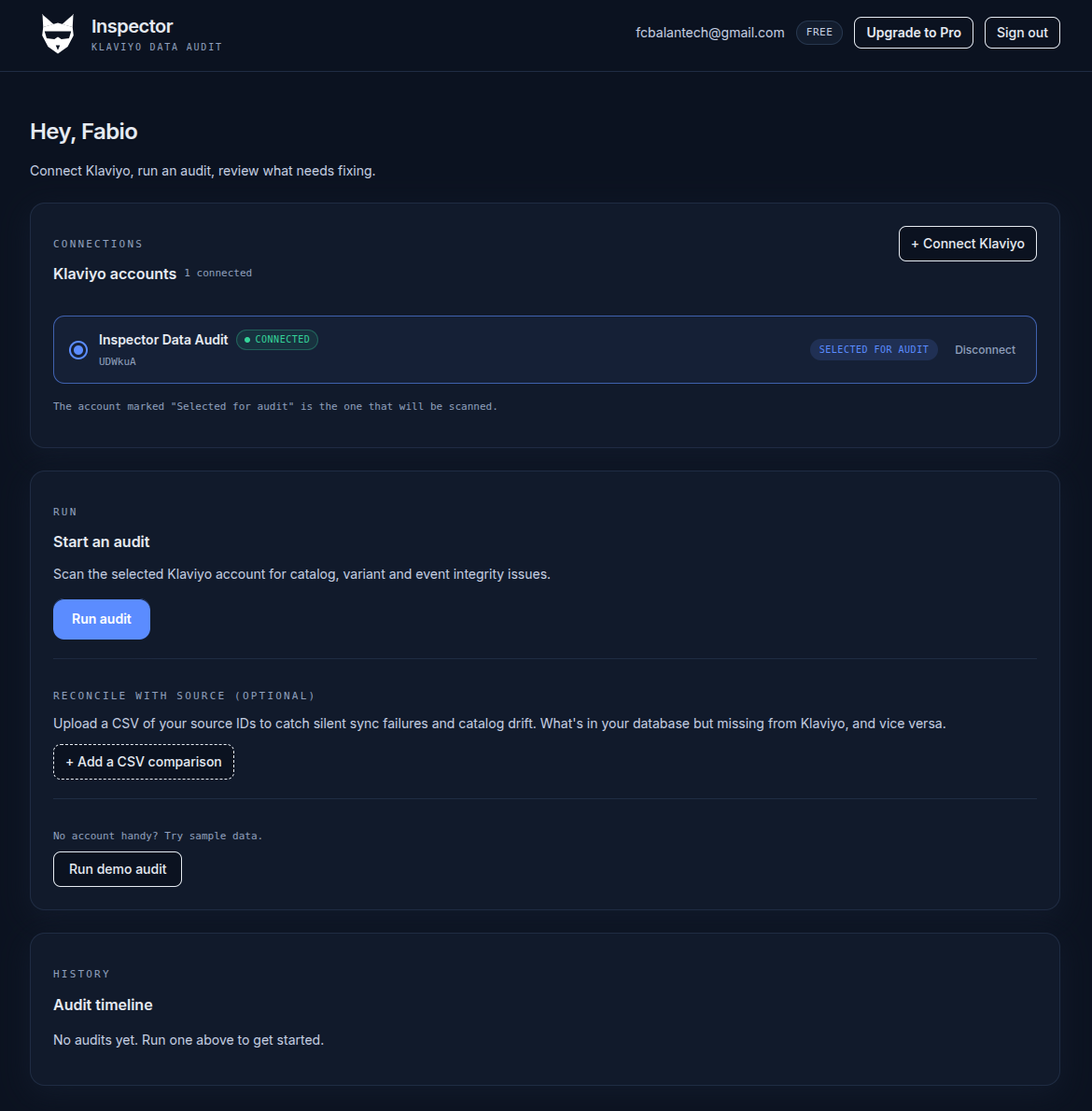
An audit runs in four stages. The whole flow takes minutes and needs no code or API keys.
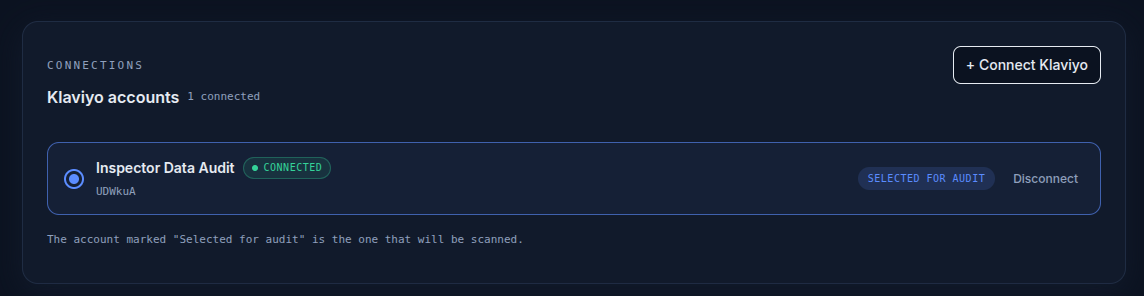
- Connect. Authorize Inspector through Klaviyo's OAuth consent screen with read-only scopes. One click, nothing to paste.
- Scan. Inspector reads your catalog items and variants, plus a recent window of event data.
- Analyze. Every record runs through a battery of integrity checks: catalog-to-event matching, SKU hygiene, back-in-stock matchability.
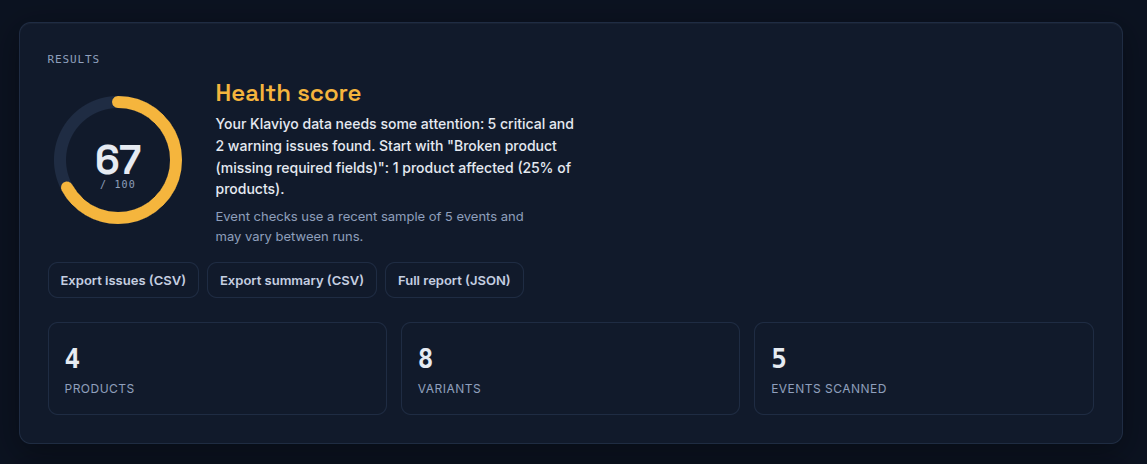
- Report. You get a health score from 0 to 100, issues grouped by severity, and per-issue CSV / JSON exports with the exact identifiers to fix at the source.
02
Security
- Read-only by design. The OAuth scopes Inspector requests do not permit writing. It cannot modify your data, even if something tried to.
- Least privilege. Inspector requests only the scopes it needs to read catalog and event data, nothing more.
- Encrypted tokens. Access tokens are encrypted at rest.
- Revocable anytime. Disconnect from the dashboard, or revoke access directly in your Klaviyo account settings. Revoking cuts off access immediately.
- Data minimization. Inspector reads only what the checks require, and never sells or shares your data.
03
OAuth & permissions
Inspector connects using Klaviyo's OAuth 2.0. You approve access on Klaviyo's own consent screen, and Inspector requests these read-only scopes:
- accounts:read, to identify the connected account.
- catalogs:read, to read catalog items and variants (the products being audited).
- events:read, to read recent events and check whether they reference real catalog items.
None of these grant write access of any kind.
04
Read-only guarantee
Inspector never creates, updates, or deletes anything in Klaviyo. No catalog edits, no profile changes, no events, no flows. It is a diagnostic tool: it tells you what is wrong and where, and leaves the fix to you, applied at the source system that feeds Klaviyo.
05
What Inspector audits
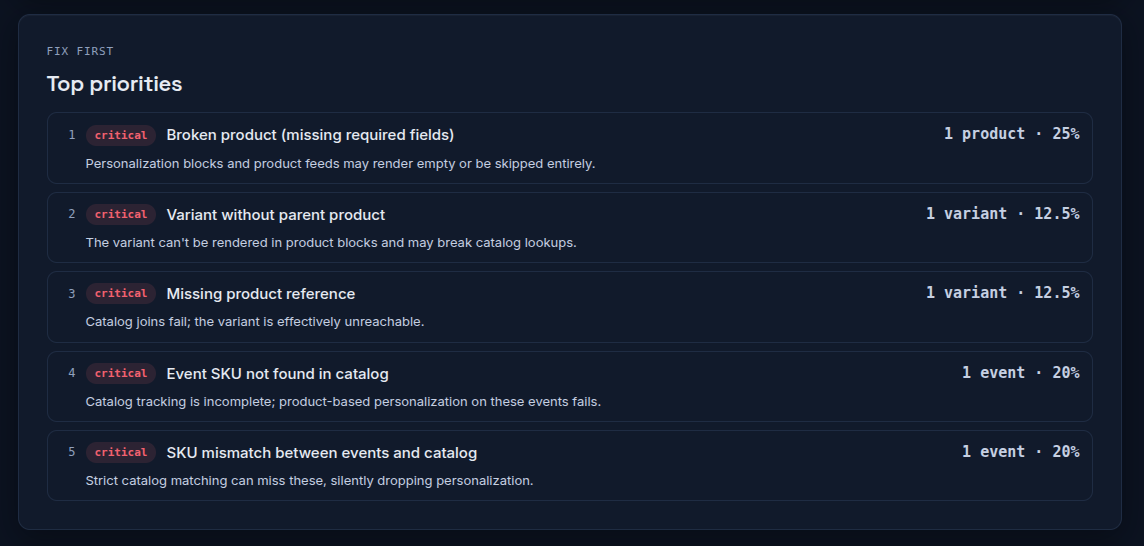
- Catalog & variants. Missing, malformed, or duplicate SKUs; SKUs with whitespace or encoding issues; structural problems that break matching.
- Event-to-catalog integrity. Events that reference SKUs not present in your catalog, so product-based personalization silently fails.
- Back-in-stock matchability. Restock signals that cannot be matched to a catalog item, so the alert never fires.
06
The report
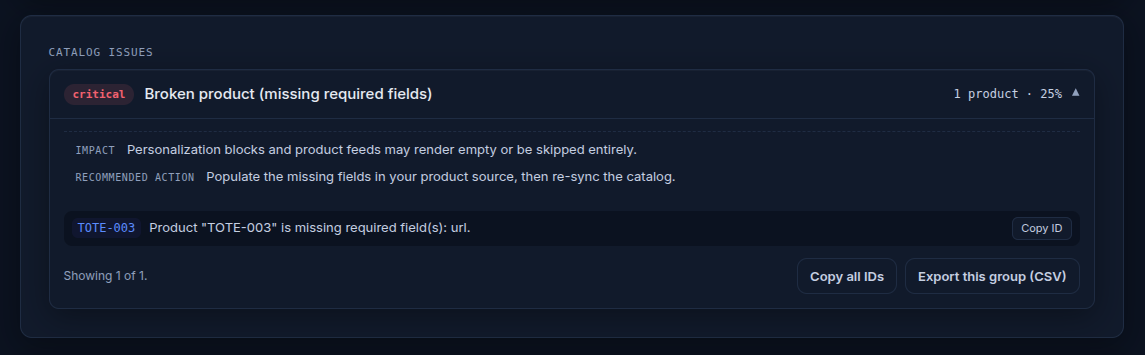
Every audit produces a single health score, issues grouped by type and severity, and the exact identifiers you need to locate each broken record at the source.
07
What Inspector does not audit
- It does not modify any data. The connection is strictly read-only.
- It does not audit flow logic, campaign content, templates, deliverability, segments, or subscriber profiles and PII.
- It scans a recent window of events rather than your entire event history. Fuller history scanning is on the roadmap.
- It is not a replacement for Klaviyo's reporting. It focuses specifically on catalog, variant and event data integrity.
08
Technical FAQ
Which OAuth scopes are requested?
Three read-only scopes: accounts:read, catalogs:read, and events:read. None permit writing.
Does Inspector modify any Klaviyo data?
No. The connection is strictly read-only. Inspector never changes catalog items, profiles, events, or flows.
Are customer profiles stored?
No. Inspector audits catalog, variant and event-to-catalog integrity. Stored results contain product identifiers and issue metadata, not subscriber profiles or PII.
How long are audit results kept?
Results are kept so you can revisit them and track health over time. You can request deletion at any time.
Can I revoke access at any time?
Yes. Disconnect from the dashboard, or revoke Inspector in your Klaviyo account settings. Access stops immediately.
Can I audit multiple Klaviyo accounts?
Yes. Connect multiple accounts and choose which one to audit on each run.
What happens if an audit fails?
A failed run is marked as failed and you can re-run it. Because the connection is read-only, a failure never leaves partial changes in your account.
How often should I run an audit?
Run after meaningful catalog or data changes (syncs, migrations, bulk edits), or on a regular cadence such as weekly or monthly to catch drift early.
Does Inspector support large catalogs?
Yes. Inspector paginates through catalog and variant data. Very large accounts take a little longer to scan.
How are access tokens protected?
Access tokens are encrypted at rest, scoped to least-privilege read-only access, and revocable at any time.
Still have a question? Reach us at support@getinspector.io.